A Network Proxy for web Penetration Testing.
It has free features but more complicated ones are for paid users.
Proxy
This tab is used for storing intercepted traffic before forwarding it to the browser.
It also stored a history of intercepted traffic.
Intercept responses
Burp can be set to intercept responses before they are handled by the browser.
It can be done under proxy -> proxy settings:
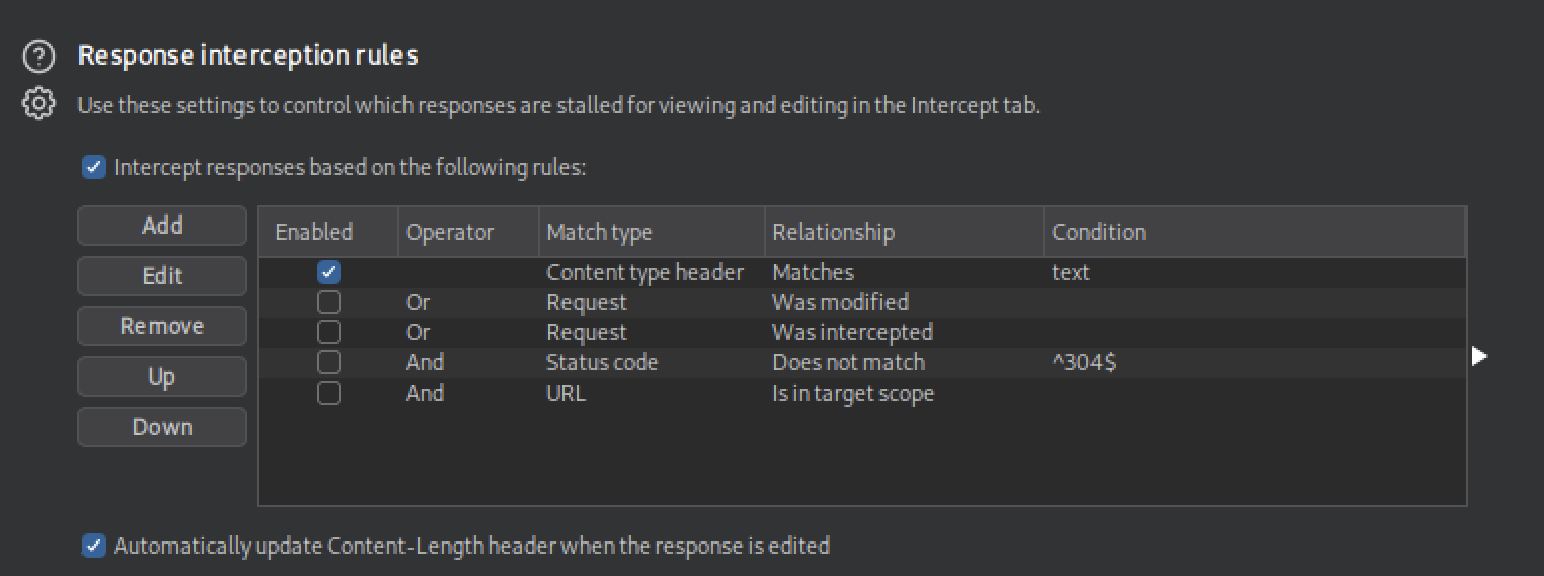
This can be useful for showing disabled buttons or changing JavaScript code that restricts input to protect against code injections.
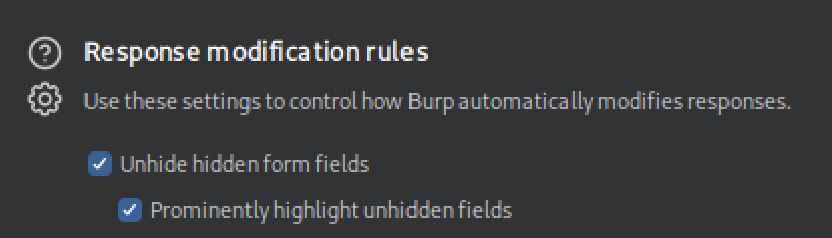
Show hidden form fields in response
It is also possible, without having to alter the front end source code, to show hidden form fields.
This is done under proxy -> proxy settings:
Automatic request/response modification
Burp can make automatic modifications in requests and responses.
This is done in the menu at Proxy -> Proxy settings -> HTTP match and replace rules.
This can be useful when every request requires the same modifications, e.g. changing a blocked user-agent. Or when every response requires the same modifications, e.g. chaining source code that alters input to protect for code injections.
Repeater
This tab is used for repeating requests.
Intercepted requests from the proxy tab can be send here by selecting them and pressing ctrl+r.
It supports encoding selected text to:
URL: pressingctrl+u.HTML: pressingctrl+h.Base64: pressingctrl+b.Base64 URL
Decoder
In this tab it is possible to encode/decode text to/from:
- HTML
- Unicode
- Base64
- ASCII hex
- Hex
- Octal
- Binary
- Gzip
Intruder
A Web Fuzzing tool that, in the free version, is throttled at a speed of 1 request per second, making it very slow compared to CLI tools like FFUF.
Scanner
A paid feature only.
Can perform active and passive scans.
Passive scans
Scan already identified pages for potential vulnerabilities
Active scans
Performs the following:
- starts by running a Crawl and Web Fuzzing to identify all possible pages.
- runs a Passive Scan on all identified pages.
- checks each of the identified vulnerabilities from the Passive Scan and sends requests to verify them.
- performs a JavaScript analysis to identify further potential vulnerabilities.
- fuzzes various identified insertion points and parameters to look for common vulnerabilities like XSS, Command Injection, SQL Injection, and other common web vulnerabilities.